
Storage & Files · Odoo 16.0+

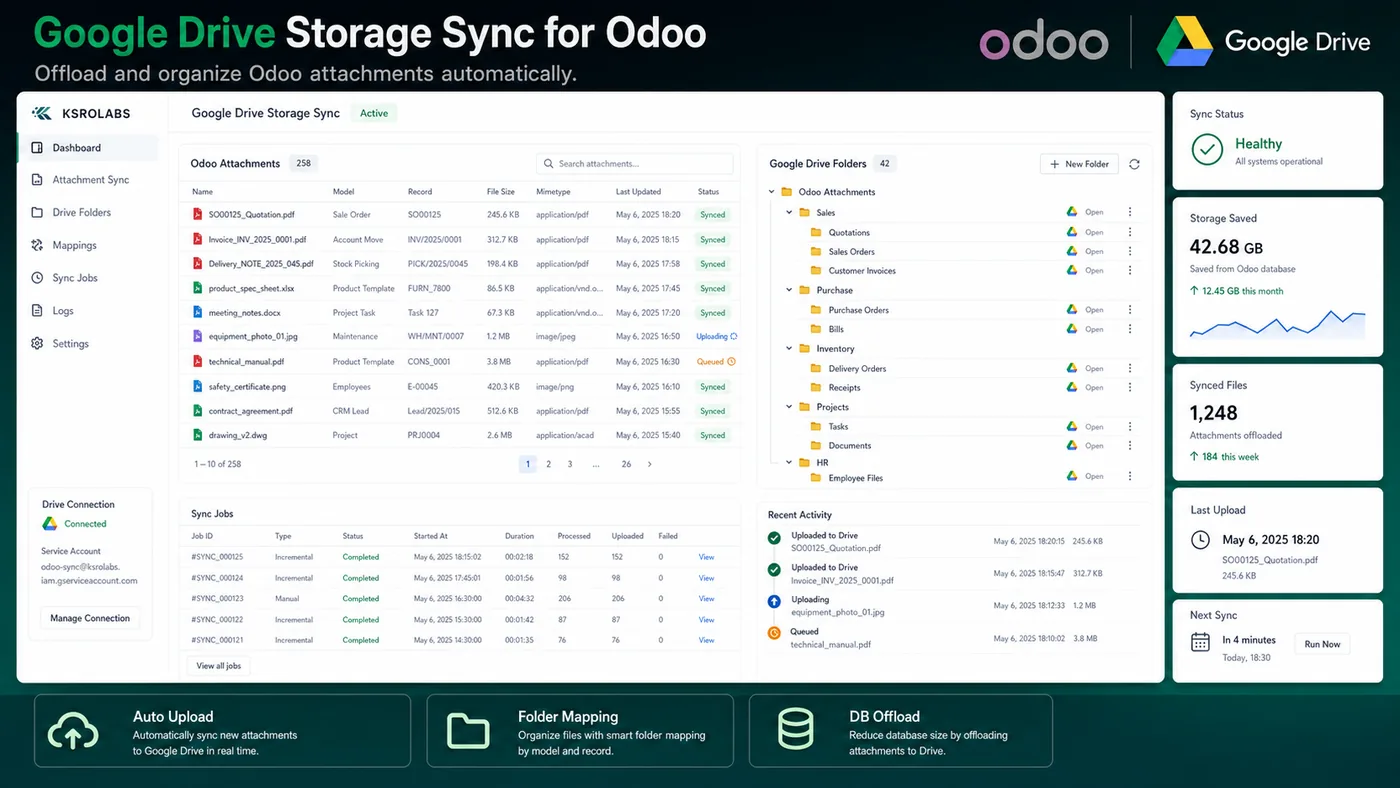
Google Drive Storage Sync for Odoo

Offload Odoo attachments to Google Drive automatically.

What is the Google Drive Storage Sync for Odoo?

Automatically sync Odoo file attachments to Google Drive for scalable storage, automated backups, and easy team access. Reduce ERP database bloat and manage files from within Odoo while storing them securely in Drive.

What's included

☁️

Automatic Attachment Sync

Upload Odoo record attachments to Google Drive automatically on save.

📉

Reduce Database Size

Offload binary data from the Odoo database to reduce storage costs.

🗂️

Structured Folder Mapping

Mirror Odoo record hierarchy (model → record → files) in Drive folder structure.

🔒

Secure Service Account

Uses Google service account authentication for server-to-server sync.

🔁

Bi-Directional Visibility

View Drive files from within Odoo and open them in Google Drive with one click.

🧹

Attachment Cleanup

Optionally remove local copies after upload to keep the Odoo DB lean.

Ready to connect Odoo?

Install the Google Drive Storage Sync for Odoo from the Odoo App Store or talk to us about your setup.

View on Odoo Store →Contact Us

Frequently asked questions

Common questions about the Google Drive Storage Sync for Odoo.

Does the module delete files from Odoo after uploading to Drive?

Optionally. You can configure the module to keep local copies or remove them after successful upload to save database space.

Is there a file size limit?

File size limits are governed by Google Drive quotas on your Google account. The module itself does not impose additional limits.

Does it work with Odoo Community or only Enterprise?

The module works with both Odoo Community and Enterprise editions.

Explore all KSROlabs modules

Seven production-grade Odoo integrations for analytics, AI, storage, and commerce.

View all modules →