
Analytics & BI · Odoo 16.0+

Power BI Connector for Odoo

Connect Odoo to Power BI with enterprise-grade Azure authentication.

Power BI Connector for Odoo

What is the Power BI Connector for Odoo?

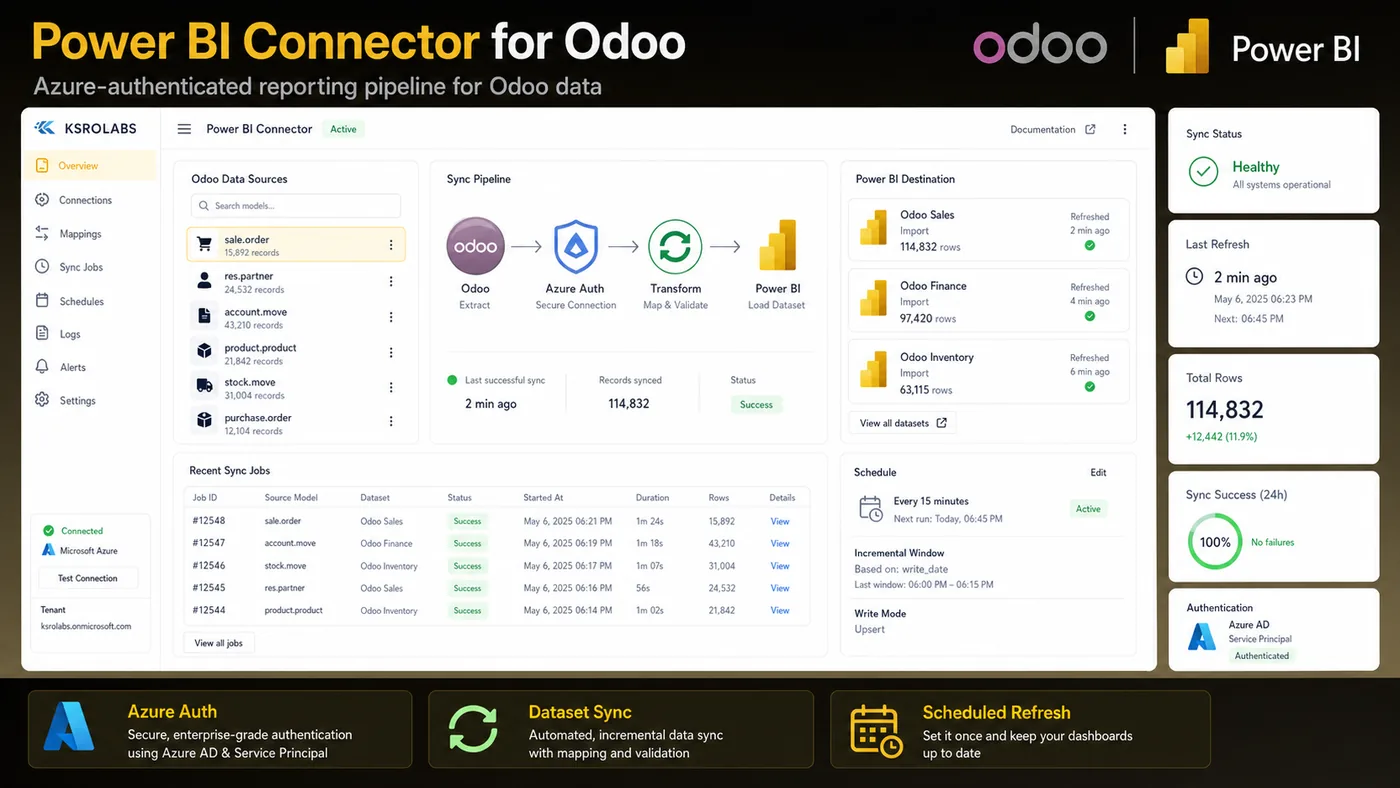
Integrate Odoo with Microsoft Power BI using Azure Service Principal authentication. Automate data sync, build live dashboards, and eliminate manual exports with a production-safe connector that respects Odoo access rules.

What's included

🔐

Azure Service Principal Auth

Secure, non-interactive OAuth2 authentication — no user credentials stored.

🔄

Automated Data Sync

Schedule incremental or full syncs without manual CSV exports.

📊

Live Power BI Dashboards

Publish Odoo datasets directly to Power BI workspaces for real-time reporting.

🛡️

Odoo Access Rule Compliance

Respects Odoo record rules and field-level security on all exported data.

🗂️

Multi-Model Export

Export any Odoo model — sales orders, invoices, inventory, CRM — into Power BI.

🔁

Refresh Scheduling

Configure automated refresh intervals directly from the Odoo backend.

Ready to connect Odoo?

Install the Power BI Connector for Odoo from the Odoo App Store or talk to us about your setup.

View on Odoo Store →Contact Us

Frequently asked questions

Common questions about the Power BI Connector for Odoo.

Does the Power BI Connector for Odoo require Microsoft Azure?

Yes. The connector uses Azure Service Principal authentication for secure, automated access to the Power BI REST API. You will need an Azure AD app registration with the Power BI Service scope.

Which Odoo versions does the Power BI Connector support?

The connector is built and tested on Odoo 16.0 and above. Check the Odoo App Store listing for the latest version compatibility information.

Does the connector respect Odoo access rules and field-level security?

Yes. All data exports respect Odoo's built-in record rules and field-level access control, so your Power BI datasets only ever contain data the Odoo user is authorised to see.

Can I export custom Odoo models to Power BI?

Yes. The connector supports any Odoo model, including custom modules, as long as the model is accessible via the Odoo ORM.

How does the data sync work — push or pull?

The connector pushes data from Odoo to Power BI datasets on a schedule you define. Authentication and upload to your Power BI workspace are handled automatically.

Can I connect multiple Odoo databases to the same Power BI workspace?

Yes. Each Odoo instance is configured separately with its own Azure Service Principal credentials. Multiple Odoo databases can feed into the same Power BI workspace.

Is the connector compatible with Power BI Service (cloud) and Power BI Desktop?

Yes. The connector publishes datasets to Power BI Service (cloud). Reports can then be built in both Power BI Desktop and the browser-based Power BI Service using those datasets.

How frequently can Odoo data be refreshed in Power BI?

Refresh frequency is configured from the Odoo backend — hourly, daily, or on a custom cron schedule. Power BI dataset refresh limits depend on your Power BI licence tier.

Does the Odoo Power BI Connector support incremental refresh?

Yes. The connector supports incremental sync — only new or modified Odoo records are pushed on subsequent runs — reducing data transfer and keeping refresh times predictable.

What Odoo models are available for export to Power BI?

Any Odoo model can be exported, including core models (sale.order, account.move, stock.quant, crm.lead) and custom models. You select which models and fields to expose in the Odoo settings UI.

Is there a record limit on Power BI exports from Odoo?

The connector itself imposes no hard limit. Practical limits depend on your Odoo database size and Power BI plan quotas. Incremental sync keeps large datasets manageable.

Can the connector handle Many2one and relational fields from Odoo?

Yes. Many2one fields are exported as display name or ID. Related field traversal (e.g. sale.order → partner.name) is supported via field configuration in the Odoo export settings.

Does the Power BI Connector work with Odoo Community Edition?

Yes. The connector works with both Odoo Community and Odoo Enterprise editions. Community and Enterprise models export identically.

What happens if the Power BI API is unavailable during a scheduled sync?

Failed sync attempts are logged in Odoo. On the next scheduled run the connector retries automatically. Manual sync can also be triggered from the Odoo backend at any time.

Where can I get support for the Odoo Power BI Connector?

Support is available via the KSROlabs contact page or through the Odoo App Store listing. Contact us directly for enterprise support arrangements.

Explore all KSROlabs modules

Seven production-grade Odoo integrations for analytics, AI, storage, and commerce.

View all modules →