
AI & Automation · Odoo 16.0+

AI Assistants: Enterprise Copilot Builder

Build custom AI assistants for Odoo without writing a single line of code.

AI Assistants: Enterprise Copilot Builder

What is the AI Assistants: Enterprise Copilot Builder?

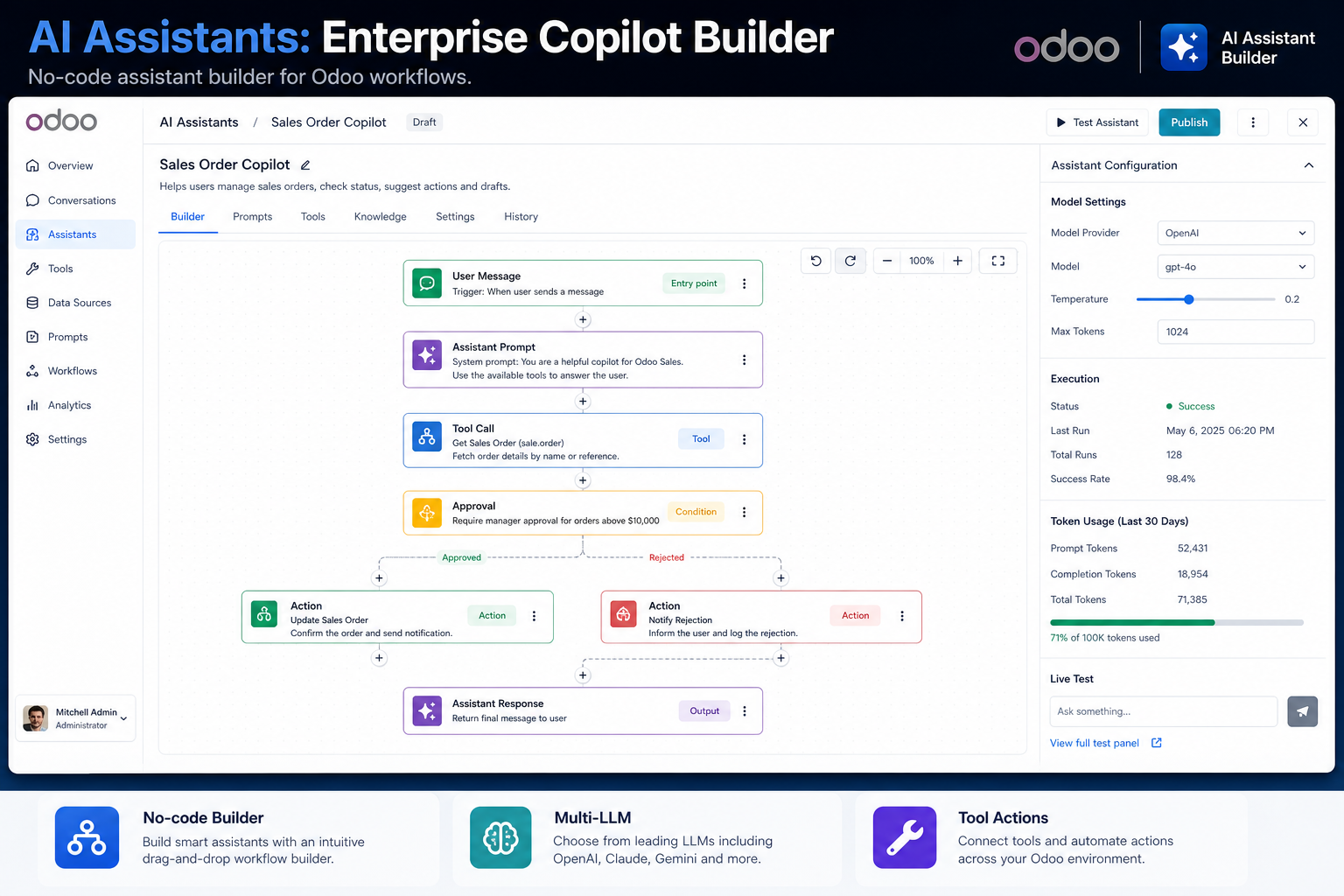
No-code platform for creating custom AI assistants inside Odoo. Connect any LLM, define tools and data sources, and deploy AI copilots that help your team automate workflows, answer questions, and take actions directly within Odoo.

What's included

🤖

No-Code AI Builder

Create AI assistants with a visual interface — no programming required. Define behaviours, tools, and data access in minutes.

🔗

Any LLM Compatible

Connect to Claude, GPT, Gemini, or any OpenAI-compatible LLM. Swap models without rebuilding your assistant.

Odoo-Native Actions

AI assistants can read records, create entries, trigger workflows, and send messages — all inside Odoo.

🛡️

Governed Access

Assistants inherit Odoo user permissions. They can only act on data the associated user account is authorised to access.

👥

Team Deployment

Deploy assistants to specific Odoo user groups or menus — finance copilot for the finance team, ops copilot for operations.

📋

Action Logging

Every AI action is logged in Odoo for audit, compliance, and troubleshooting.

Ready to connect Odoo?

Install the AI Assistants: Enterprise Copilot Builder from the Odoo App Store or talk to us about your setup.

Frequently asked questions

Common questions about the AI Assistants: Enterprise Copilot Builder.

Do I need coding skills to build an AI assistant with this module?

No. The Copilot Builder is a no-code tool. You configure your assistant's behaviour, tools, and data access through a visual UI in Odoo settings — no development required.

Which LLMs are compatible with the Copilot Builder?

Any OpenAI-compatible API works, including Claude (Anthropic), GPT (OpenAI), Gemini (Google), and local models via Ollama. You supply the API key and endpoint — the module handles the integration.

Can AI assistants write to Odoo, or only read data?

Both. You configure which operations each assistant can perform — read-only for reporting assistants, full CRUD for workflow automation assistants. Write access is opt-in and governed by Odoo permissions.

Explore all KSROlabs modules

Seven production-grade Odoo integrations for analytics, AI, storage, and commerce.

View all modules →