
Do users need a Google account to view the embedded dashboard?
No. The sheet is embedded as a read-only iframe inside Odoo. Odoo users do not need a Google account or any Google sign-in to view the dashboard.
Embed Google Sheets dashboards directly inside Odoo.
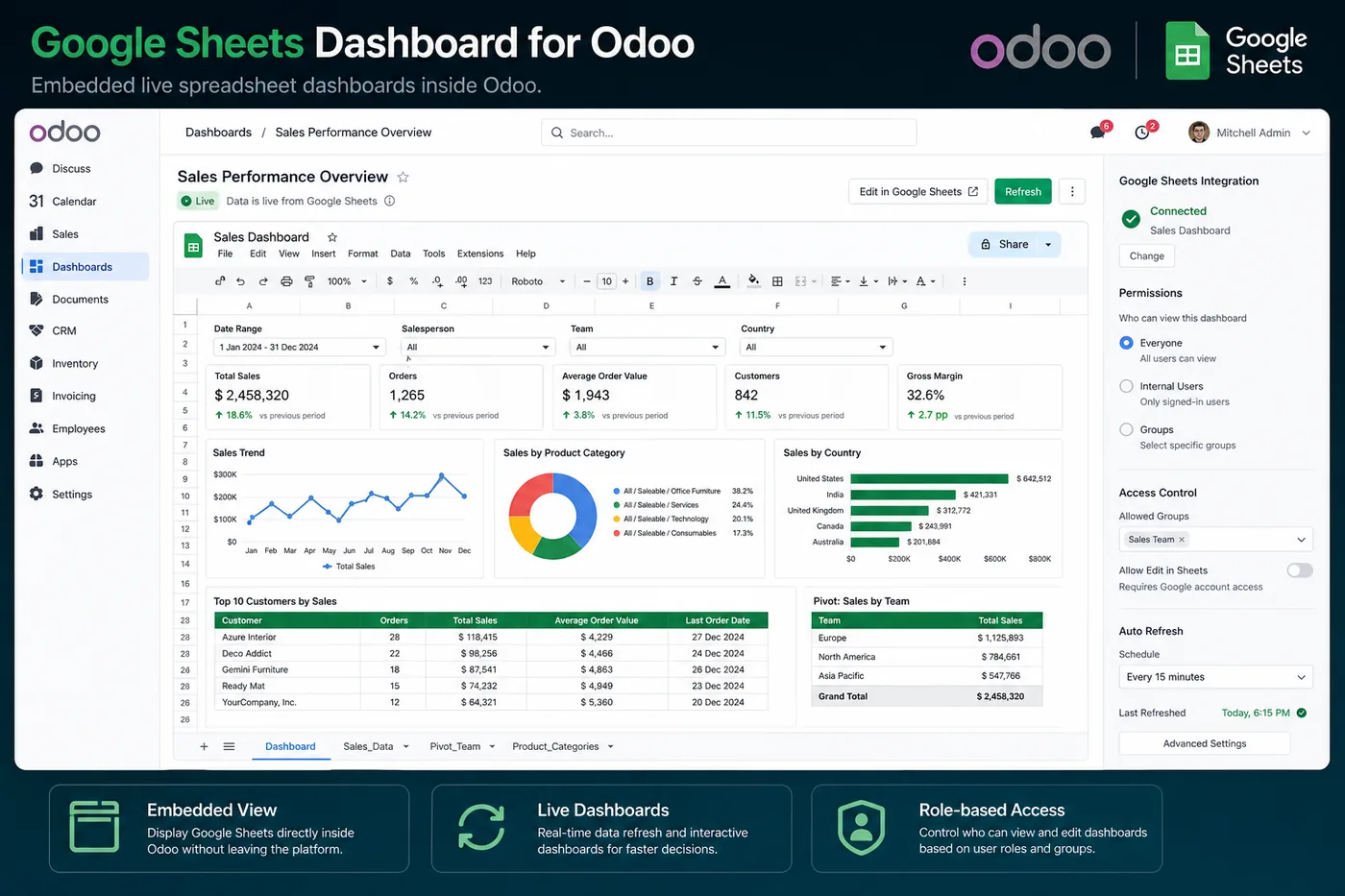
Display live Google Sheets dashboards inside Odoo without leaving your ERP. Ideal for teams that build reporting in Google Sheets and want to surface it directly in the Odoo UI for operational teams.
In-App Dashboard
Render any Google Sheets document directly inside Odoo — no browser switching.
Live Data
The embedded sheet always reflects the latest data without manual refresh.
Role-Based Visibility
Control which Odoo user groups see the embedded dashboard.
Responsive Embed
Dashboard renders correctly across desktop and tablet views inside Odoo.
Easy Configuration
Paste a Google Sheets URL in the Odoo settings — done.
Multiple Dashboards
Configure multiple embedded dashboards for different teams or menus.
Install Google Sheets Dashboard from the Odoo App Store — pricing available on the listing. Free setup support included with every purchase.
Common questions about the Google Sheets Dashboard for Odoo.
No. The sheet is embedded as a read-only iframe inside Odoo. Odoo users do not need a Google account or any Google sign-in to view the dashboard.
Yes. Dashboard visibility is controlled by Odoo user groups and access rights. You can create multiple embedded dashboard configurations, each visible to a different Odoo team or role.
The sheet needs to be shared with view access for the embed to work. You can share via a standard Google Sheets shareable link (anyone with the link can view) or grant access to a specific service account used by your Odoo instance.
The Google Sheets Connector syncs Odoo data OUT to a Google Sheet — it writes Odoo records into a spreadsheet on a schedule. The Google Sheets Dashboard embeds an existing Google Sheet INSIDE the Odoo interface so your team can view it without leaving Odoo. They complement each other: use the Connector to populate the sheet with Odoo data, then use the Dashboard to display it inside Odoo.
Yes. You can configure multiple embedded dashboard instances, each pointing to a different Google Sheet. Common setups include a Sales dashboard for the sales team, a Finance dashboard for accounting, and an Inventory dashboard for the warehouse — each accessible from the relevant Odoo menu.
The embedded dashboard always shows the current version of the Google Sheet. Since it is an iframe pointing to the live Google Sheets URL, any changes made to the sheet are reflected immediately when users reload the view inside Odoo. There is no separate sync or caching layer.
Install the module from the Odoo App Store, navigate to the module settings in Odoo, paste your Google Sheets URL into the dashboard configuration, assign it to the desired Odoo menu location, and set the user group visibility. Setup takes under five minutes and requires no API credentials or developer access.
The Google Sheets Dashboard module supports Odoo 16.0 and above, including Odoo 17 and Odoo 18. It works with both Odoo Community and Odoo Enterprise editions. Check the Odoo App Store listing for the current version compatibility.
The module is designed for Google Sheets embeds. Google Looker Studio (formerly Data Studio) reports have different embed requirements and authentication flows. For Looker Studio, we recommend contacting us — our team can advise on the best approach for embedding rich BI reports inside Odoo.
If the Google Sheet URL changes or the sheet is deleted, the embedded dashboard will show an error or blank view inside Odoo. Simply update the URL in the module settings to point to the correct sheet. No data is lost on the Odoo side.
Yes. The Google Sheets Dashboard requires zero technical setup beyond pasting a URL. It is designed for operations managers, finance teams, and sales leads who want to surface Google Sheets reports they already build inside Odoo without any developer involvement.
Other KSROlabs modules that pair well with Google Sheets Dashboard for Odoo.
Google Sheets Connector
Sync Odoo data to Google Sheets in real time — no manual exports.
Google Sheets Connector →BigQuery Connector
Sync Odoo data to Google BigQuery with incremental CDC and automated scheduling.
BigQuery Connector →SQL Explorer Pro
Advanced SQL query builder, data visualization, and export for Odoo.
SQL Explorer Pro →Ten production-grade Odoo integrations for AI, analytics, storage, and commerce.
View all modules →