
What Tableau editions are supported?
The KSROlabs Tableau Connector works with Tableau Desktop, Tableau Online (Tableau Cloud), and Tableau Server. It exposes Odoo data via a standard SQL-compatible interface that Tableau recognises natively.
Enterprise Tableau integration for Odoo with SQL views and governed refresh workflows.
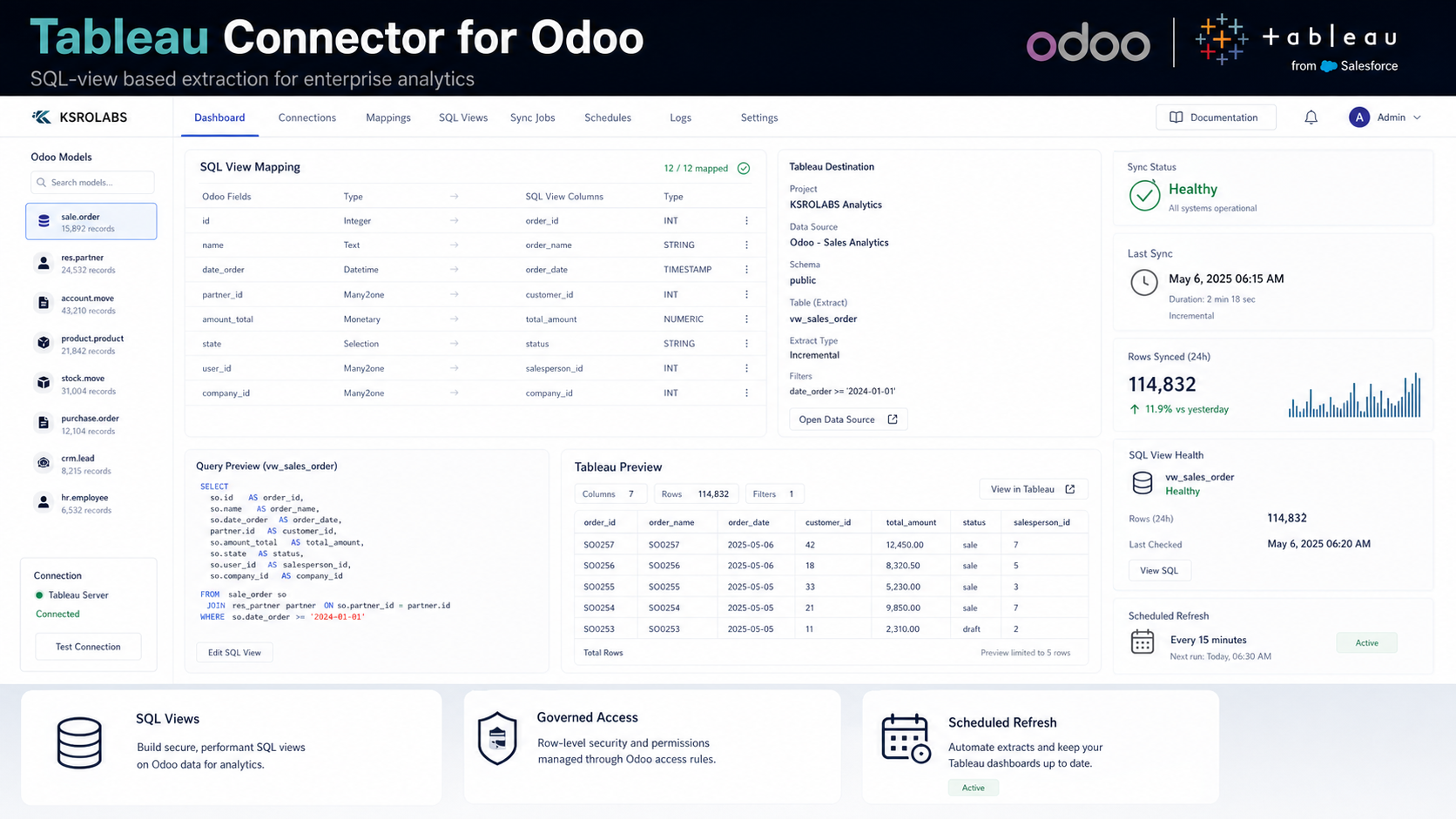
Connect Odoo to Tableau with SQL view-based data extraction for enterprise analytics. Designed for production environments with scheduled refresh support, field mapping, and Odoo version compatibility management.
SQL View-Based Extraction
Purpose-built SQL views for clean, performant data extraction without ORM overhead.
Scheduled Refresh
Automate Tableau data source refreshes on configurable intervals from Odoo.
Enterprise Analytics Ready
Designed for production environments with hundreds of thousands of records.
Governed Access
Field-level and record-level Odoo security respected across all data connections.
Version-Aware Compatibility
Maintained across Odoo major versions with upgrade path documentation.
Field Mapping UI
Map Odoo fields to Tableau dimensions and measures directly from the Odoo settings.
Install the Tableau Connector for Odoo from the Odoo App Store — pricing available on the listing. Free setup support included with every purchase.
Common questions about the Tableau Connector for Odoo.
The KSROlabs Tableau Connector works with Tableau Desktop, Tableau Online (Tableau Cloud), and Tableau Server. It exposes Odoo data via a standard SQL-compatible interface that Tableau recognises natively.
The connector uses Odoo's ORM and purpose-built SQL views, not direct database access, ensuring full compatibility with Odoo Cloud, on-premise, and Odoo.sh deployments.
Yes. The SQL view approach is optimised for enterprise-scale datasets with hundreds of thousands of records. Incremental sync and configurable batch sizes keep performance predictable even under heavy loads.
The connector is actively maintained for Odoo 16.0 and above, including Odoo 17 and Odoo 18. Check the Odoo App Store for the latest supported version.
Install the KSROlabs Tableau Connector from the Odoo App Store, configure your SQL view mappings in the Odoo settings, then connect Tableau to the data source endpoint. The connector creates structured extracts that Tableau imports directly — no middleware required.
Yes. The field mapping UI lets you expose any Odoo model — including custom modules — as a SQL view for Tableau consumption. Map Odoo fields directly to Tableau dimensions and measures.
The connector supports scheduled refresh at configurable intervals (hourly, daily, or custom). For near-real-time reporting, set refresh intervals to the minimum supported by your Tableau license tier.
The Power BI Connector uses Azure Service Principal auth and pushes datasets to Power BI Service. The Tableau Connector uses SQL view-based extraction optimised for Tableau's data engine. Both respect Odoo access rules and support scheduled refresh, but they are purpose-built for their respective BI platforms.
Yes. The connector works with both Odoo Community and Odoo Enterprise editions. Both editions expose data identically through the connector.
Yes. Once connected, you can build any Tableau visualization — dashboards, worksheets, stories — using live Odoo data. Common use cases include sales pipeline analysis, financial reporting, inventory management dashboards, and CRM metrics.
See how Tableau Connector for Odoo compares to alternatives.
Ten production-grade Odoo integrations for AI, analytics, storage, and commerce.
View all modules →