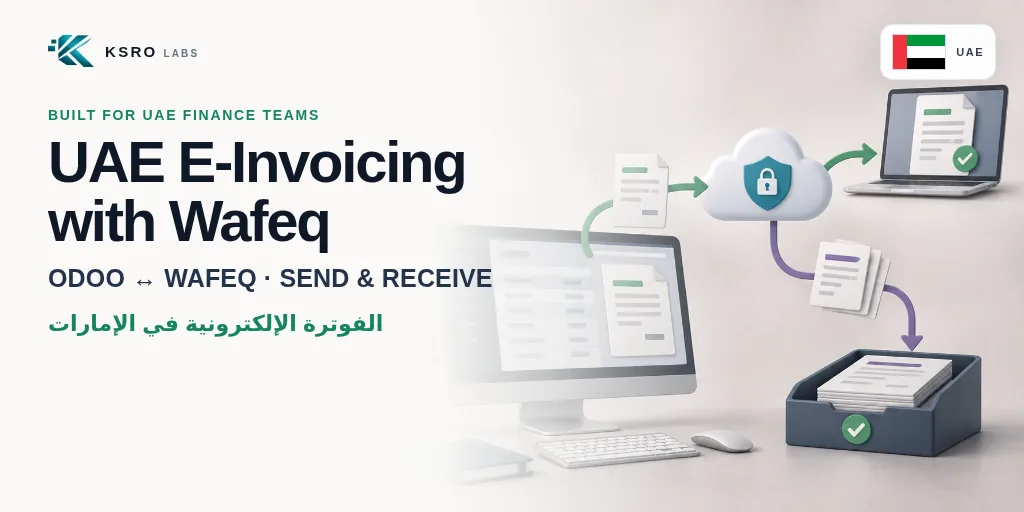
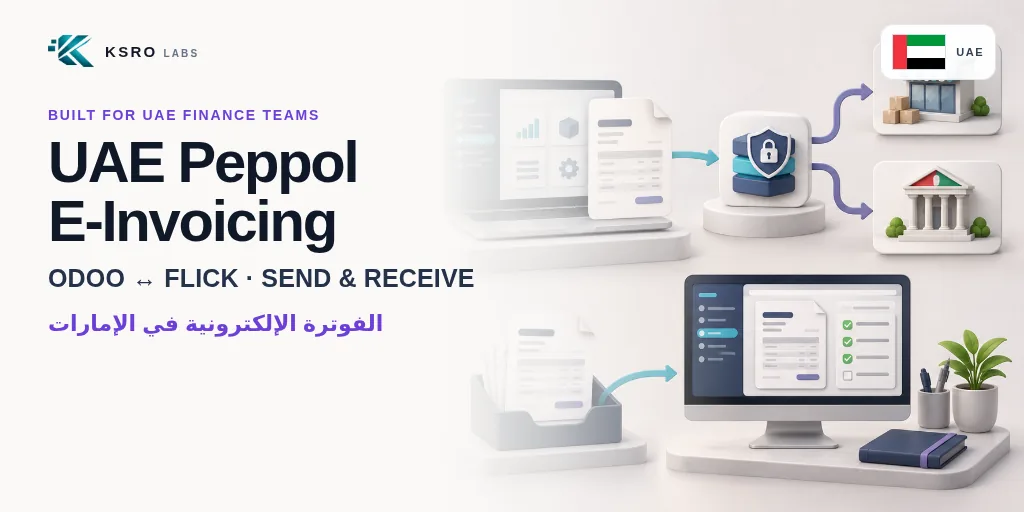
UAE e-invoicing for Odoo — send, track and receive PINT AE invoices.
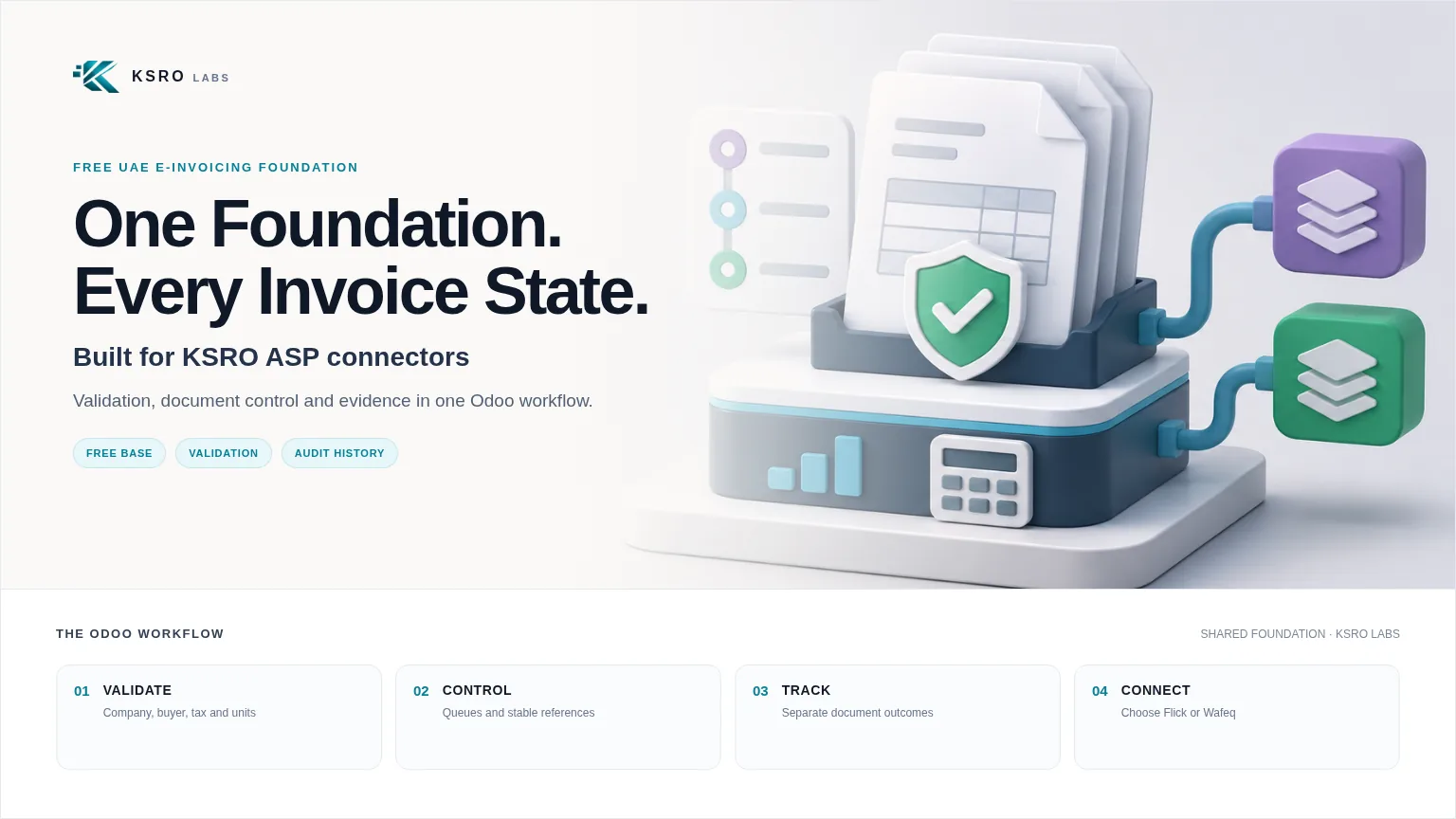
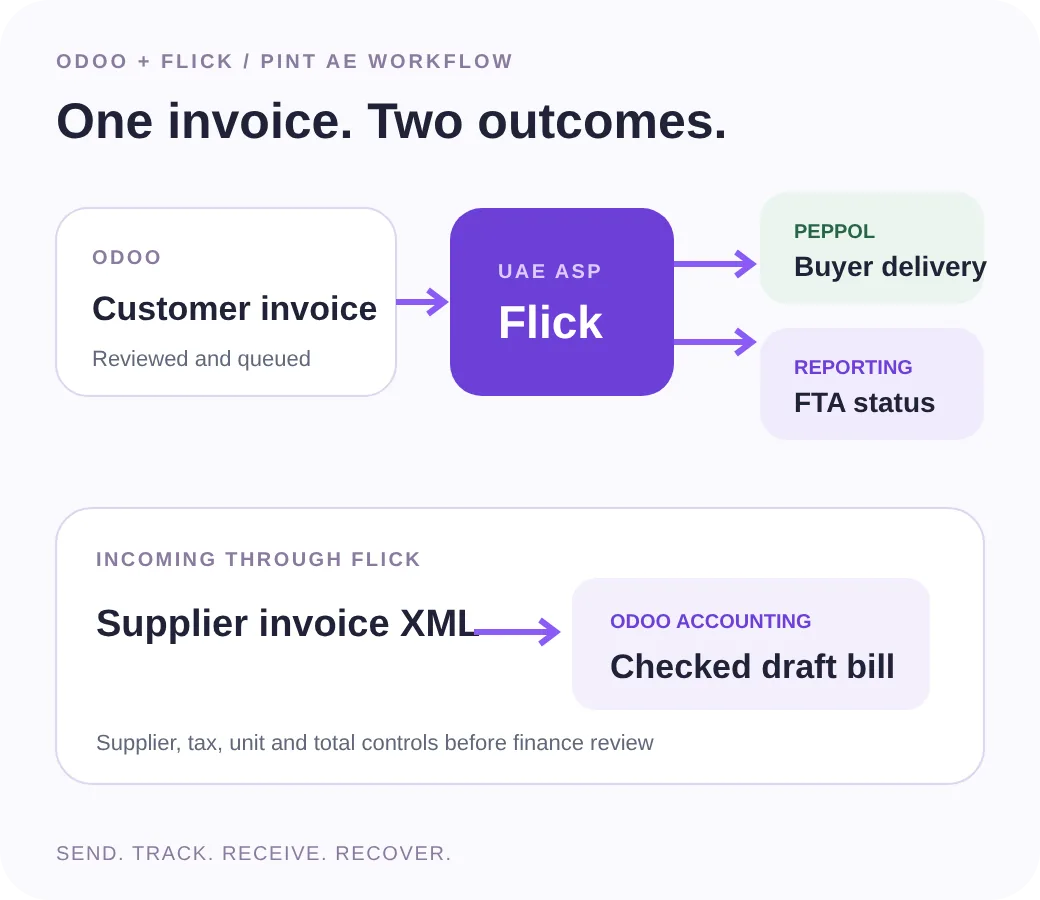
The first UAE businesses must go live on 1 January 2027. KSROlabs connects Odoo to Wafeq or Flick, both on the Ministry of Finance list of accredited service providers: a free foundation prepares and checks every invoice, your connector sends it, and provider acceptance, Peppol delivery and tax reporting are tracked separately beside the accounting entry.
Base module free · Wafeq connector €590 · Flick connector €490 · one-time, setup call included, no KSROlabs subscription
In short: KSROlabs UAE e-invoicing for Odoo is a free foundation plus a connector for Wafeq (€590) or Flick (€490) that prepares PINT AE invoices and credit notes, sends them through a Ministry of Finance accredited service provider, tracks provider acceptance, Peppol delivery and tax reporting separately, and turns received supplier e-invoices into checked draft bills.
Is UAE E-Invoicing Base right for your setup?
UAE VAT-registered companies on Odoo 19 (Odoo.sh or self-hosted) preparing for the e-invoicing mandate through Wafeq or Flick.
Compatibility and purchasing
Odoo versions
Odoo 19.0
Installation
Self-hosted, Odoo.sh or on-premise. Custom modules cannot be installed on Odoo Online.
The UAE electronic invoicing system runs on the Peppol network. Each business appoints an Accredited Service Provider, then issues and receives e-invoices through it from its go-live date. Check the linked Ministry sources for later decisions and transaction-specific scope.
Businesses with annual revenue of AED 50 million or more
30 October 2026 (extended from 31 July 2026)
1 January 2027
Businesses with annual revenue below AED 50 million
31 March 2027
1 July 2027
Government entities in scope
31 March 2027
1 October 2027
If you are in the first group and running Odoo, the realistic window to map buyers, taxes and units, connect a provider and test in its sandbox is the next few weeks.
How UAE e-invoicing works in Odoo with KSROlabs
One free foundation does the Odoo-side work for every provider. You add the connector for the Accredited Service Provider you appointed. Finance keeps working in Odoo Accounting.
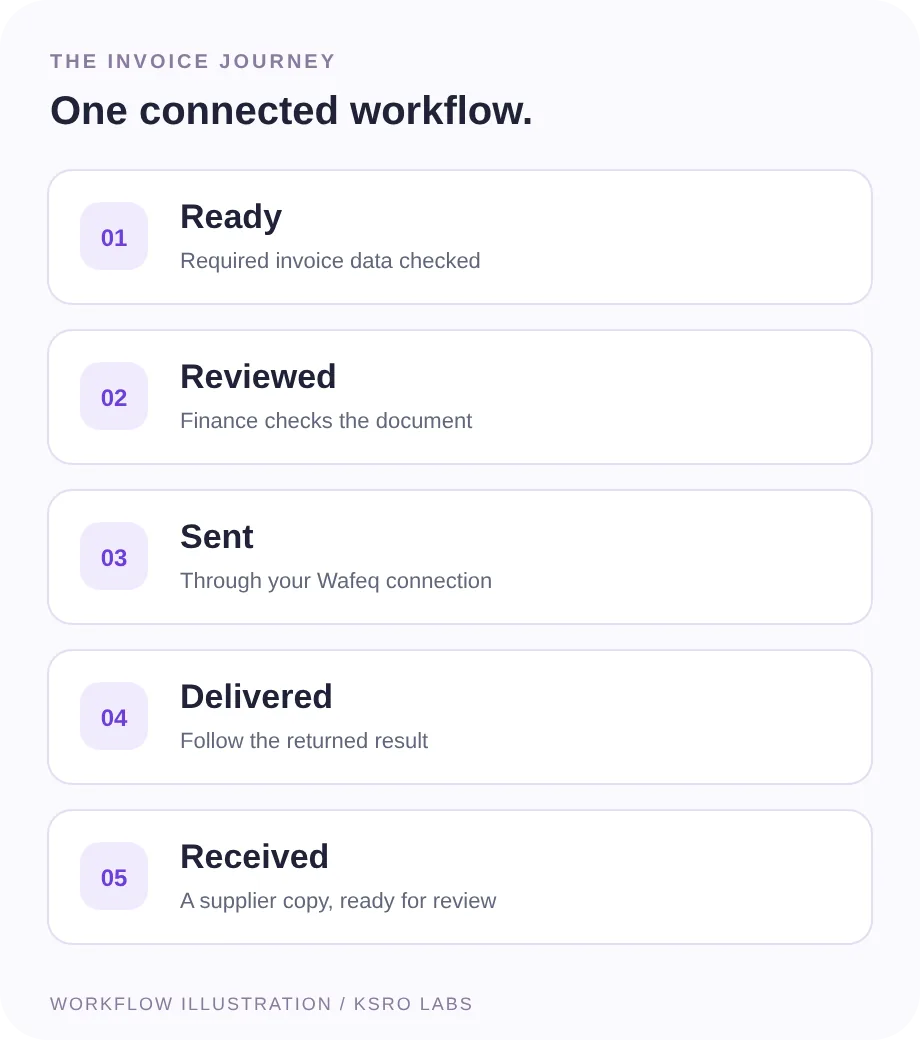
01
Prepare in Odoo
Post the customer invoice as usual. The foundation freezes a reviewed snapshot with explicit buyer, TIN, tax and UN/ECE unit mappings.
02
Preflight
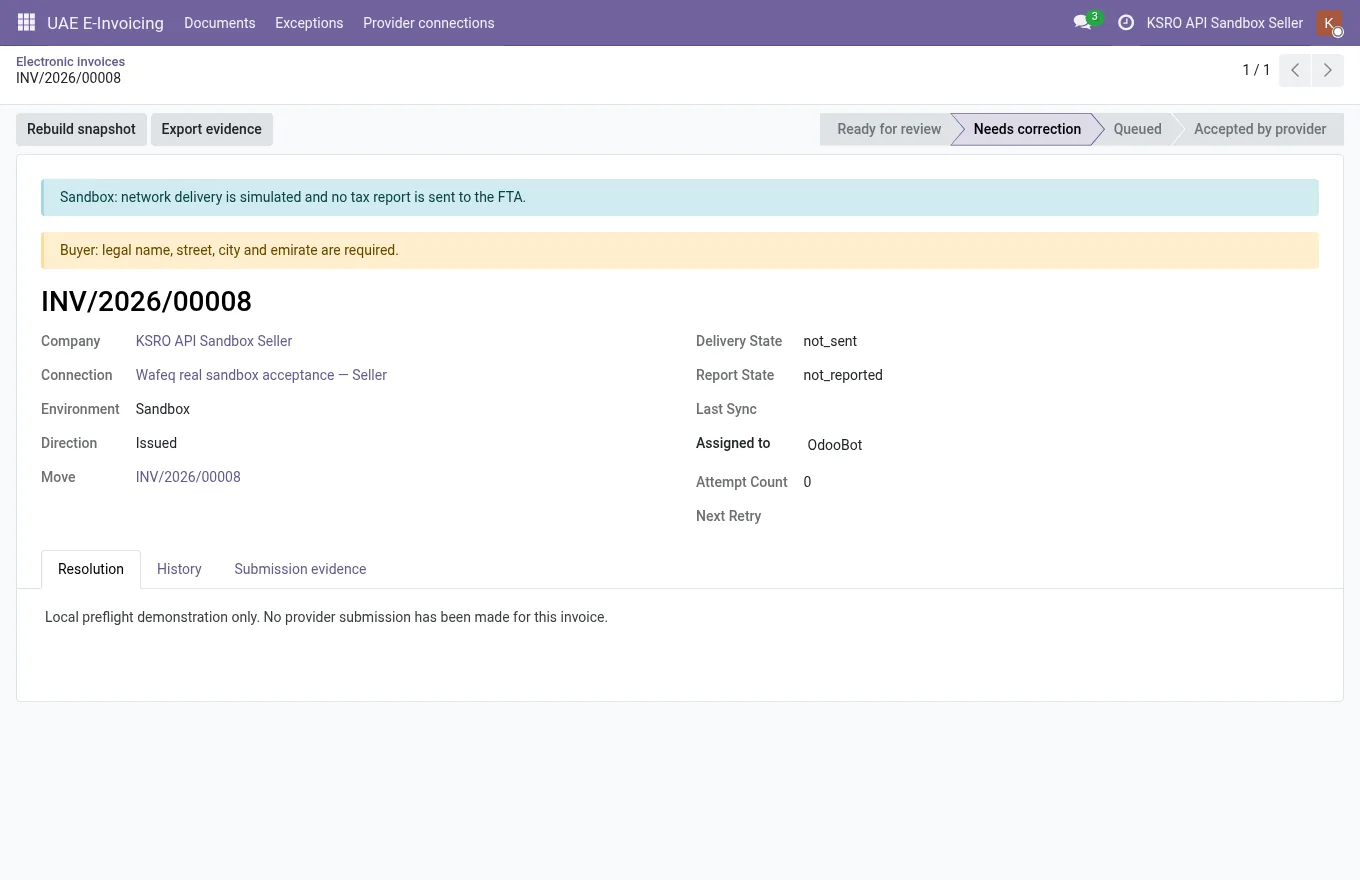
Missing buyer legal name, address, emirate, TIN or mapping is reported in Odoo before anything is sent — not as a rejection from the network later.
03
Send through your ASP
A background queue submits the document through your own Wafeq or Flick account. Interrupted requests are recovered, never blindly resent.
04
Track three outcomes
Provider acceptance, Peppol delivery to the buyer and tax reporting are separate statuses beside the accounting entry, with exportable evidence.
05
Receive supplier e-invoices
Incoming PINT AE documents are checked for supplier, tax, currency, unit and totals, then created as draft vendor bills for finance to review.
Watch the complete workflow
5:18: the foundation working with the Wafeq connector, from invoice preflight and submission to delivery tracking, evidence, receipt recovery, credit notes, incoming supplier invoices and reviewed draft bills.
The UAE E-Invoicing Base module working with the Wafeq connector: invoice preflight, provider submission, delivery tracking, evidence, receipt recovery, credit notes, incoming supplier invoices and reviewed draft bills.
Free under LGPL-3 and installed automatically with either connector. It is where mappings, snapshots, queues, statuses, exceptions and evidence live, so they behave the same whichever provider you use.
🧭
Explicit PINT AE mappings
Company-scoped configuration with explicit buyer, TIN, tax and UN/ECE unit mappings, so nothing in the outgoing document is guessed.
📸
Stable document snapshots
Each invoice and credit note is frozen into a reviewed snapshot before it is queued, so what was checked is exactly what is sent.
⏱️
Background queues and recovery
Submissions run in background queues with controlled recovery states, so an interrupted request is resolved rather than resent blindly.
🚦
Three statuses, kept separate
Provider acceptance, Peppol exchange and tax-reporting status are separate fields, so "accepted" is never mistaken for "delivered" or "reported".
📥
Checked draft bills from received XML
Received PINT AE XML is parsed securely and checked for supplier, tax, currency, unit and totals before a draft vendor bill is created.
🧾
Append-only evidence
Workflow events are append-only and exportable, with exception ownership, resolution notes and full document history per invoice.
Prices are one-time, in EUR, bought direct from KSRO Labs with a setup call and 3 months of email support. Accreditation numbers from the MoF ASP list.
Odoo connector
Wafeq
Flick
One-time price, direct from KSRO Labs
€590
€490
MoF accreditation number
Wafeq FZ-LLC — 129932
Flick Network L.L.C — 138271
Authentication
OAuth per UAE company, plus API and webhook credentials
Company-owned participant ID and API key (Flick Regional API)
Status updates
Signed webhooks with replay and timestamp protection, plus scheduled refresh
Scheduled status polling and event synchronisation
Real screens from the modules running against provider sandboxes. Sandbox delivery is simulated and sends no tax report to the FTA.
Preflight catches what the network would reject
Before a document can be queued, the foundation checks it locally. Here the buyer’s legal name, street, city and emirate are missing, so the invoice stays in Odoo with the reason shown — no provider submission has been made.
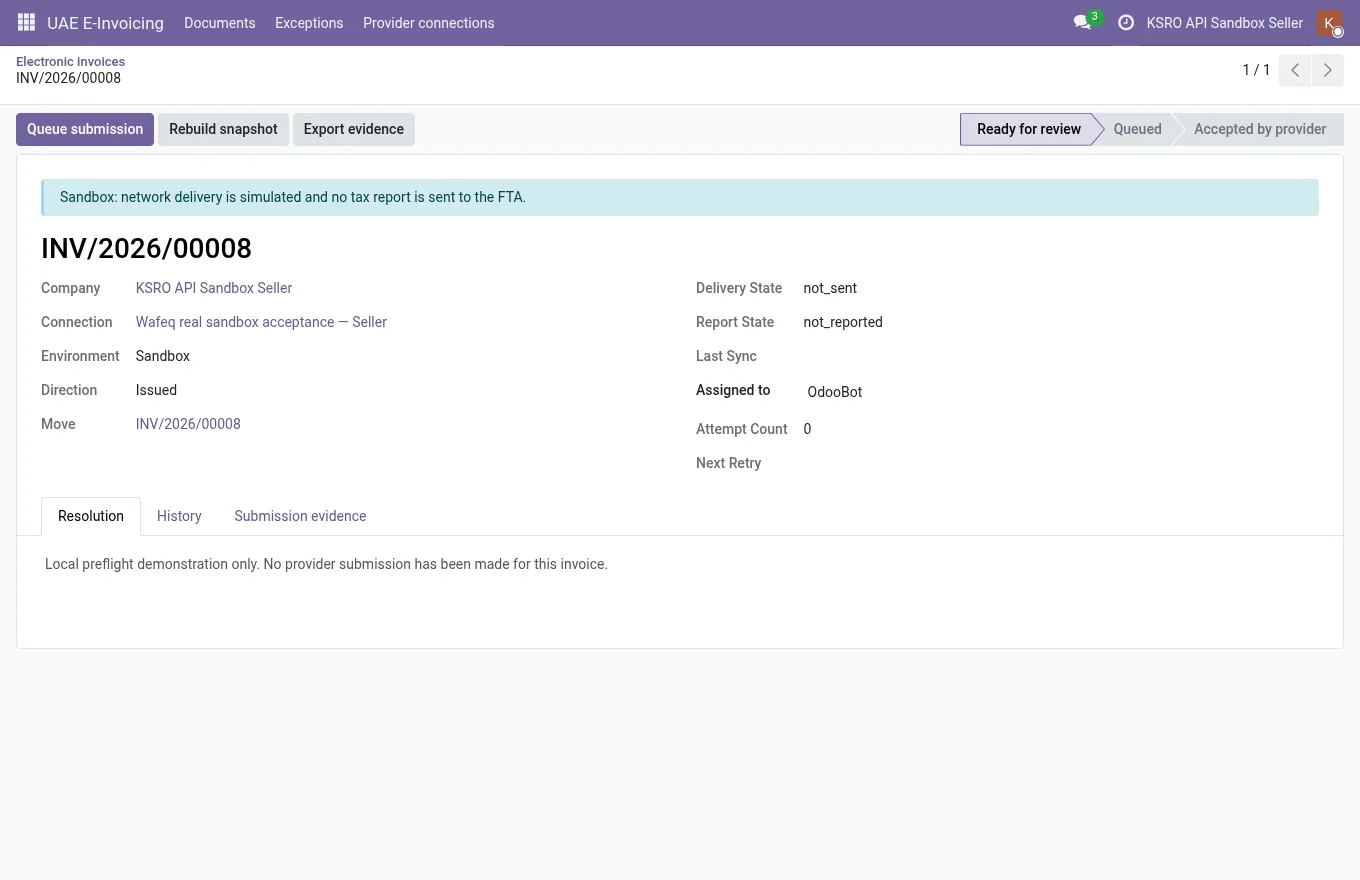
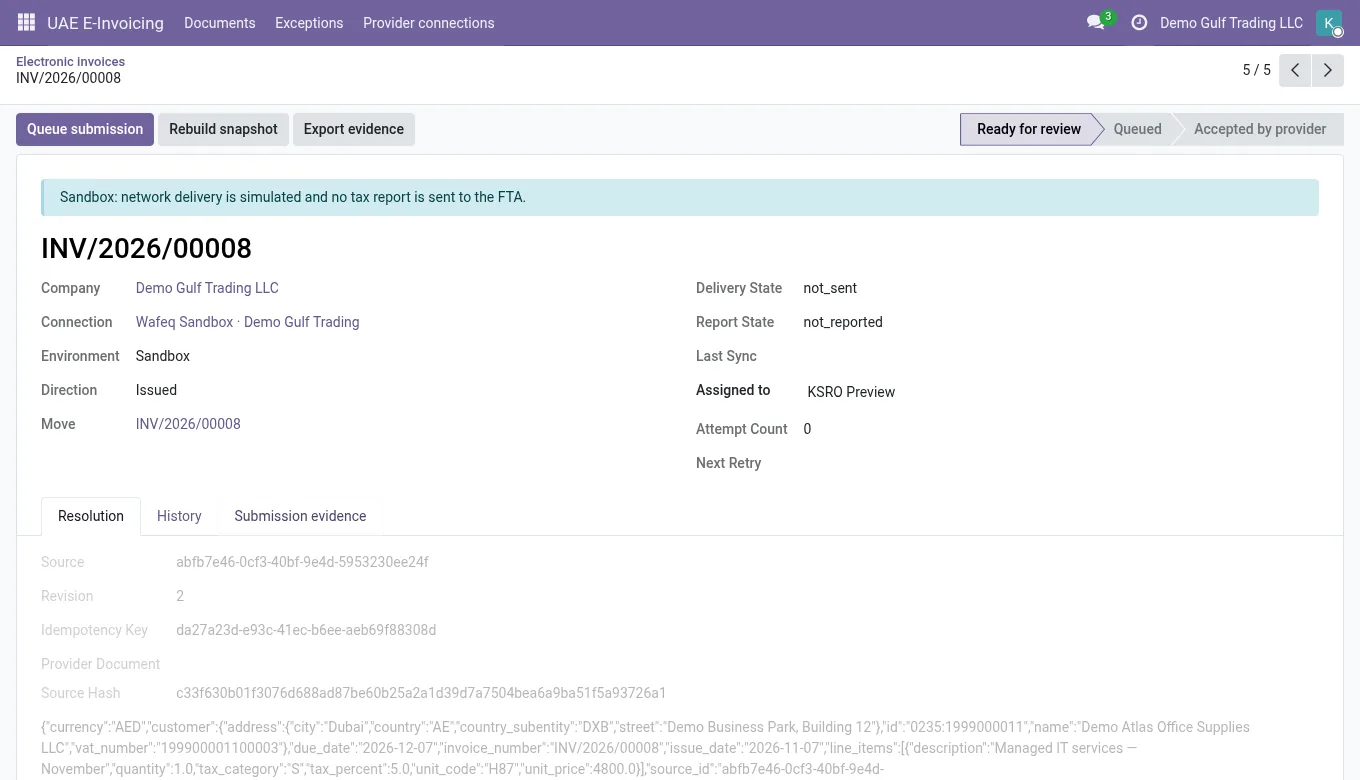
Ready for review, then queued
Once the data is complete the document moves to Ready for review. Finance queues it; the submission runs in the background through the company’s own provider connection.
Evidence you can hand to an auditor
Every submission keeps its request identity, hashes and provider responses. Export the evidence for any document straight from the record.
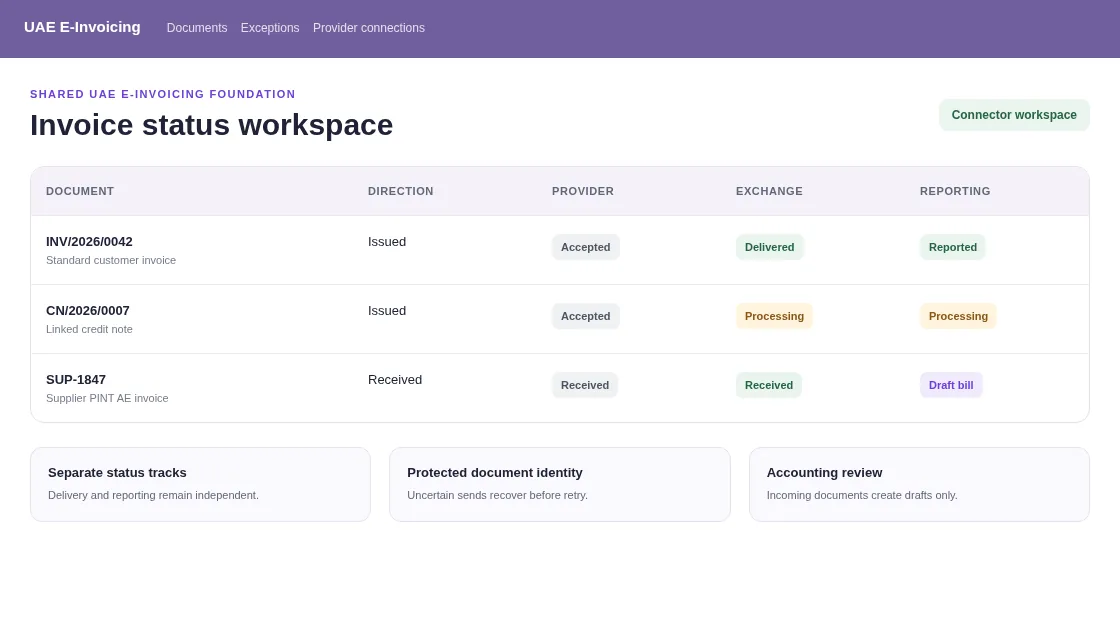
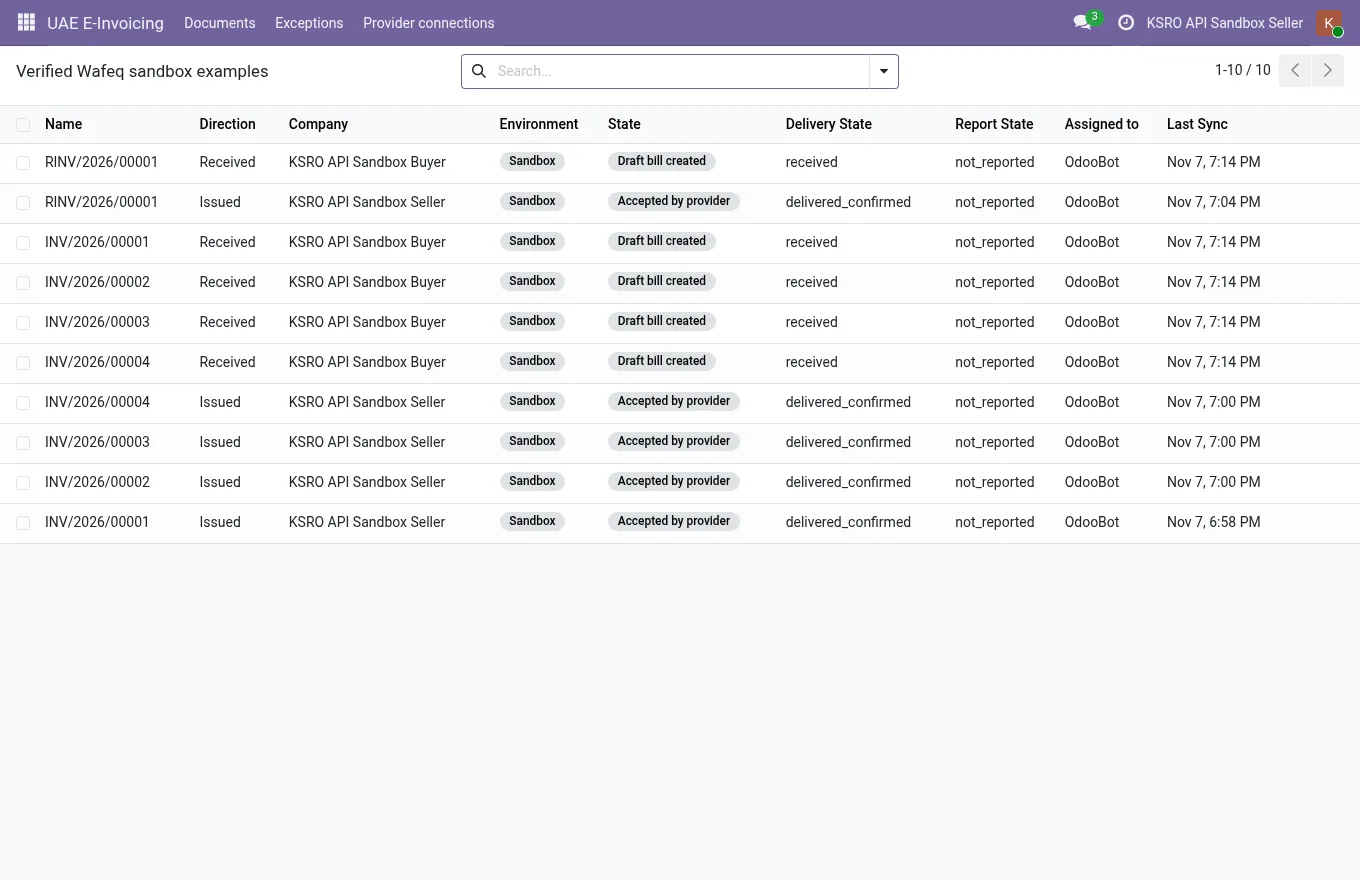
One workspace for every document
Issued and received documents in one list, with provider state, delivery state and report state in their own columns — so “accepted” is never mistaken for “delivered” or “reported”.
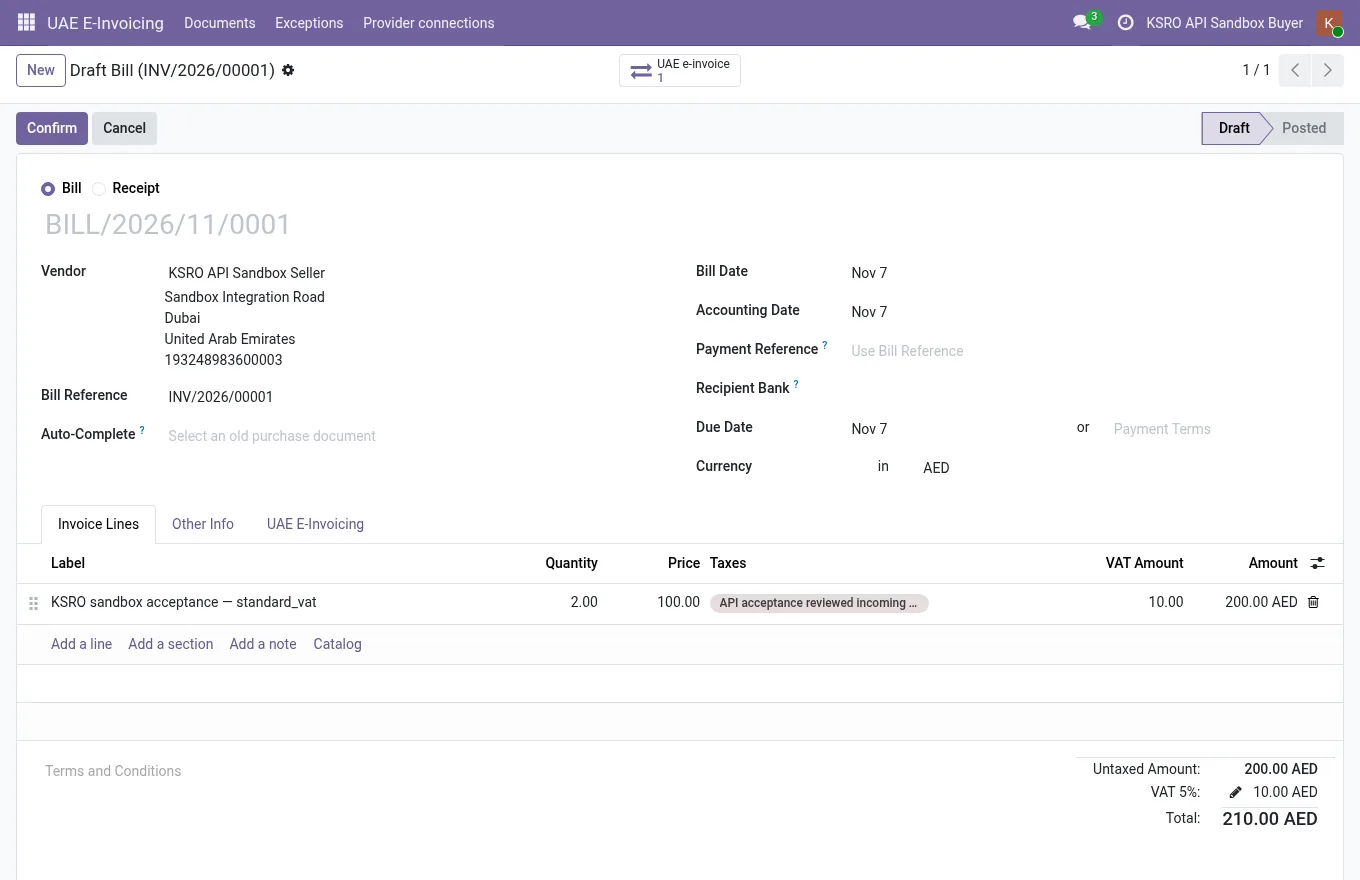
Supplier e-invoices become checked draft bills
A received PINT AE invoice is matched to the supplier, taxes, units, currency and totals, then created as a draft vendor bill. Finance reviews and posts it like any other bill.
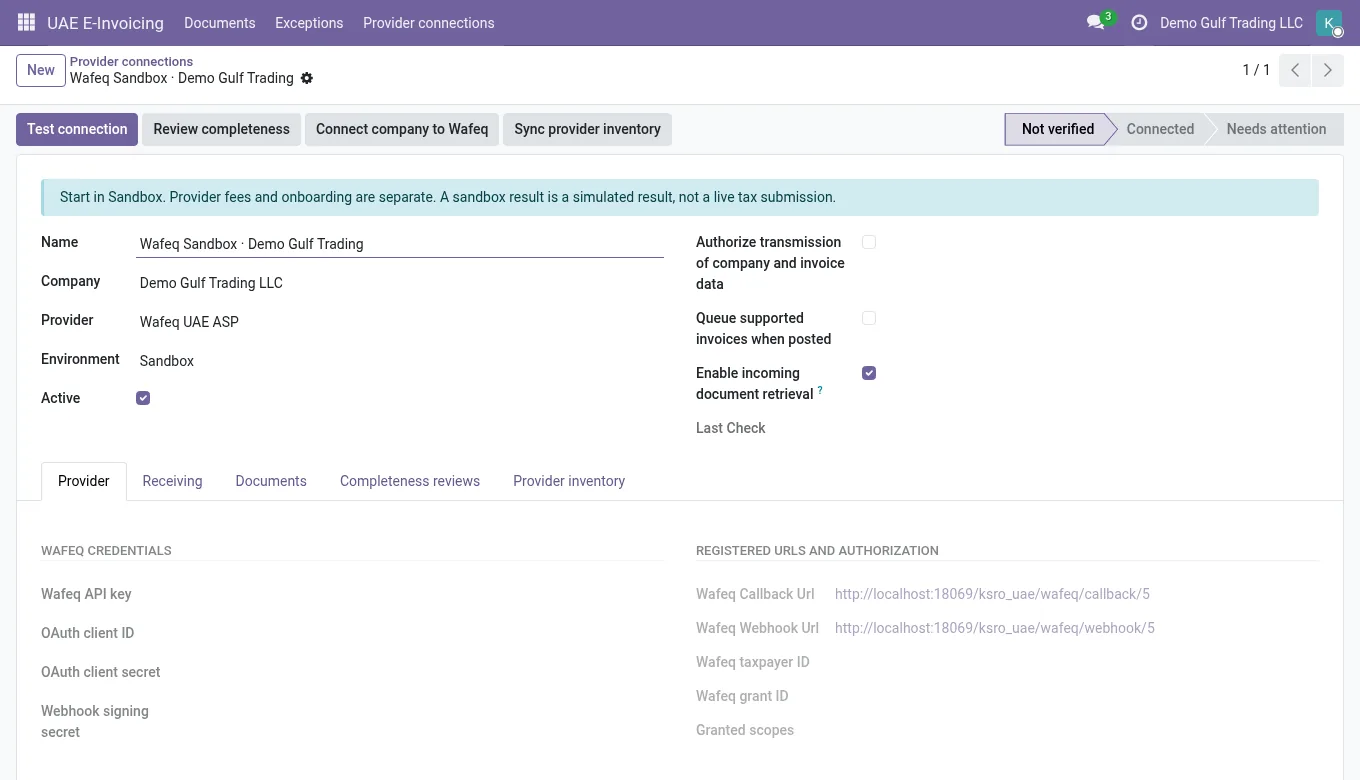
A provider connection per company
Each UAE company has its own provider connection, credentials and completeness review. Credentials are restricted to administrators and redacted from stored errors.
What is covered as standard, and what we tailor
The connectors are deliberately exact about scope, so nothing is sent on a guess. Profiles outside the standard set are delivered as a scoped KSROlabs customisation on the same foundation.
Standard scope
Standard domestic UAE B2B and B2G invoices and linked credit notes
An AED-base company
Tax-exclusive 5% standard-rated and eligible 0% zero-rated lines
Positive quantities and prices, ordinary line discounts
Reviewed UN/ECE units and two-decimal document currencies
The published modules target Odoo 19 Community on Odoo.sh or self-hosted servers. Enterprise is not yet tested. Odoo Online does not allow third-party modules to be installed.
🔢
Odoo 19 only
Builds are published for Odoo 19.0. Earlier versions are not supported; talk to us if an upgrade is part of your compliance plan.
🤝
You still appoint an ASP
The connectors use your own account with Wafeq or Flick. Onboarding, plans and document charges are agreed directly with the provider; KSROlabs charges no subscription.
How to set up UAE e-invoicing in Odoo
Seven steps from appointing a provider to the first live invoice. KSROlabs can run any of them with you: installation, provider onboarding, master-data preparation, special PINT AE mappings, approval workflows, training and ongoing support.
Choose and appoint your Accredited Service Provider. Pick Wafeq or Flick from the Ministry of Finance list of accredited service providers and open your account with them.
Install the connector. Install the Wafeq or Flick connector from the Odoo App Store on Odoo 19 (Odoo.sh or self-hosted). The free UAE E-Invoicing Base module installs with it.
Assign roles. Give UAE E-Invoicing / Administrator to the people who configure the connection and Operator to the finance users who review and queue documents.
Complete company and buyer data. Configure the company TIN, VAT TRN, address and emirate, then complete buyer identities, tax mappings, UN/ECE units and, for Flick, payment means.
Connect the provider. Create one company-scoped provider connection: Wafeq API, OAuth and webhook credentials with the callback URLs registered in the Wafeq developer app, or the Flick participant ID and API key.
Set incoming-bill accounting. Select the purchase journal and expense account used when received supplier e-invoices are turned into draft bills.
Run onboarding scenarios and go live. Send sandbox invoices and credit notes, check provider, delivery and reporting statuses, then enable the connection for daily use.
UAE e-invoicing for Odoo — frequently asked questions
When does UAE e-invoicing become mandatory?
Under the Ministry of Finance timeline, businesses with annual revenue of AED 50 million or more must go live on 1 January 2027; their deadline to appoint an Accredited Service Provider was extended to 30 October 2026. Businesses below AED 50 million must appoint an ASP by 31 March 2027 and go live on 1 July 2027. Government entities in scope go live on 1 October 2027. Check mof.gov.ae for any later change.
How do I make Odoo compliant with UAE e-invoicing?
Under the UAE model, invoices are exchanged over the Peppol network through an Accredited Service Provider (ASP) appointed by the business. To send them from Odoo you need a connection between Odoo and your ASP. KSROlabs provides that for Odoo 19: install the Wafeq or Flick connector (the free UAE E-Invoicing Base installs with it), complete company and buyer data, connect your provider account and run sandbox scenarios before going live.
Is Odoo an accredited e-invoicing service provider in the UAE?
Odoo S.A. does not appear on the Ministry of Finance list of eInvoicing Accredited Service Providers last updated 8 November 2026. Wafeq FZ-LLC (accreditation number 129932) and Flick Network L.L.C (138271) both do. An Odoo database therefore exchanges e-invoices through a connection to an accredited provider, which is what these modules provide.
What is PINT AE?
PINT AE is the UAE specification of the Peppol International (PINT) invoice format used by the UAE electronic invoicing system. It defines the data an e-invoice must carry, such as the seller and buyer TINs, tax breakdown and units of measure. The KSROlabs foundation maps Odoo invoices and credit notes to PINT AE and reads received PINT AE XML.
Should I choose Wafeq or Flick?
Both are on the Ministry of Finance accredited list and both connectors cover standard domestic B2B and B2G invoices, credit notes, status tracking and incoming draft bills on the same foundation. Wafeq (€590) connects by OAuth and pushes status through signed webhooks. Flick (€490) uses a participant ID and API key, tracks Peppol exchange and FTA reporting as separate states, and adds AED reporting totals for supported foreign-currency documents. Most teams decide on the provider’s own onboarding and pricing; the Odoo side works the same way.
How much does UAE e-invoicing for Odoo cost?
The UAE E-Invoicing Base module is free (LGPL-3). Bought direct from KSRO Labs, the Wafeq connector is a one-time €590 and the Flick connector a one-time €490, each with a setup call and 3 months of email support. There is no KSROlabs subscription. Your provider charges for onboarding and documents separately, and larger implementation work is scoped on request.
Does it work on Odoo Online?
No. The published modules target Odoo 19 Community on Odoo.sh or self-hosted servers; Enterprise is not yet tested. Odoo Online does not allow third-party modules to be installed.
Can Odoo receive supplier e-invoices as well?
Yes. Both connectors read received PINT AE documents, check the supplier, taxes, units, currency and totals, and create a draft vendor bill or credit for finance to review and post. Test status: sending through Flick has been run end to end on Flick’s sandbox; receiving through Flick’s live service, and the Wafeq connector against Wafeq’s own service, are still being tested.
What if my invoices include exports, reverse charge or other special cases?
The standard scope is domestic B2B and B2G invoices and linked credit notes from an AED-base company with standard 5% and eligible 0% lines. Exports, self-billing, deemed supplies, agent billing, reverse charge, exemptions, margin schemes, tax-inclusive pricing, complex advances, retentions and similar profiles are delivered as a scoped KSROlabs customisation.
What if my company has chosen a different service provider?
The foundation is shared across the KSROlabs connector family, so mappings, queues, statuses and evidence do not change with the provider. Tell us which accredited provider you have appointed and we will confirm what a connection would involve.
Does any invoice data go to KSROlabs?
No. Documents travel from your Odoo database to your own provider account. The modules contain no automatic KSROlabs telemetry, provider credentials are restricted to administrators, and sensitive values are redacted from stored errors.
Get your first compliant invoice out of Odoo.
Start with the free foundation, add the connector for your provider, and let us help with the data and the sandbox run if the deadline is close.