
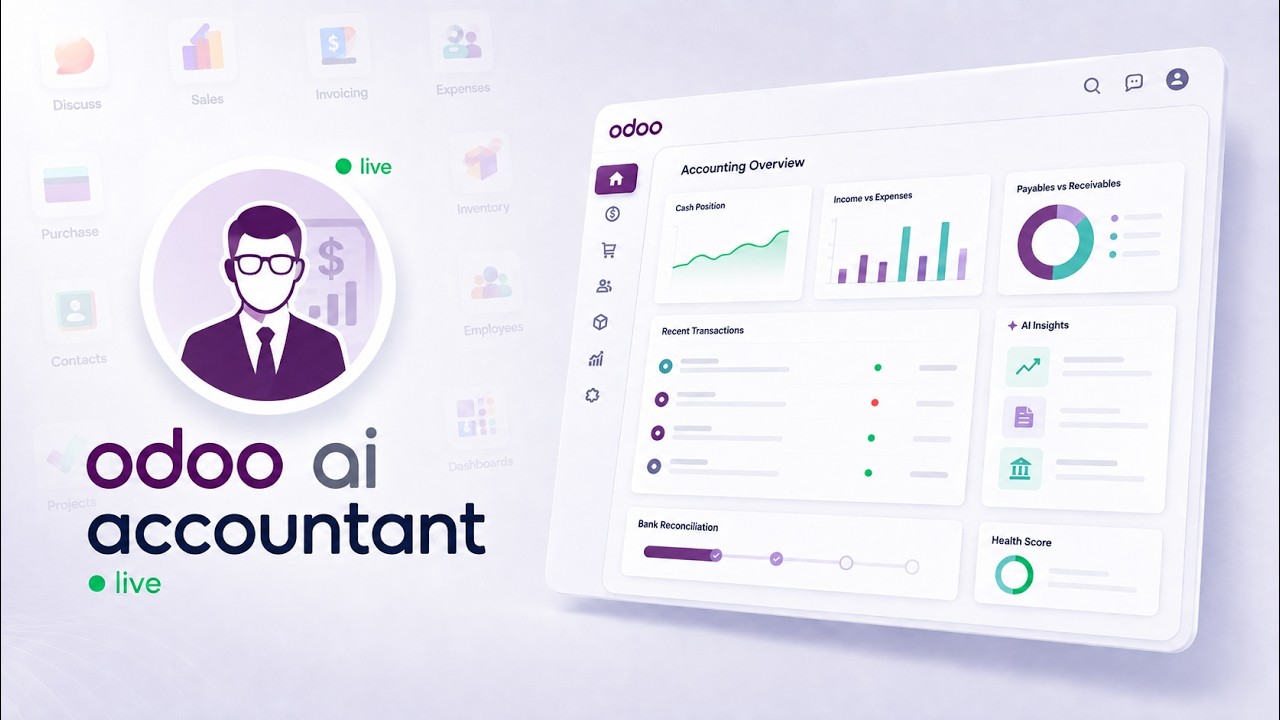
 AI AccountingReconciliation, fraud detection and the approval trail, on screenAn unreconciled Odoo bank statement, worked end to end: the AI proposes matches and explains each one, flags duplicate bills and changed vendor bank details, and a person approves before anything is posted.
A UAE e-invoice from preflight to draft bill in Odoo
Follow a fictional UAE finance team through the complete workflow, from checking a customer invoice before it leaves the ERP to recovering provider evidence and reviewing a received supplier invoice. The recording uses real Wafeq sandbox records so you can see where Odoo ends, where the Accredited Service Provider begins, and which decisions remain with your accounting team.
What happens in this video
A 5:18 KSRO Labs product film of the UAE e-invoicing modules. It follows the free UAE E-Invoicing Base foundation working with the Wafeq connector through the complete workflow: invoice preflight and provider submission, delivery tracking, evidence, receipt recovery, credit notes, incoming supplier invoices and reviewed draft vendor bills.
- 0:00
Why the workflow matters
UAE e-invoicing is more than exporting a PDF. The workflow has to prepare structured invoice data, pass it to an Accredited Service Provider, follow its status and retain enough evidence for the finance team to understand what happened.
- 0:21
The two modules and your provider account
The free UAE E-Invoicing Base module provides the shared Odoo workflow and validation layer. A provider connector adds the live transport. This film uses the Wafeq connector and a Wafeq sandbox account; the provider relationship and credentials remain yours.
- 0:34
Start from an Odoo invoice
The example begins with a posted AED 5,040 customer invoice inside Odoo 19. The e-invoicing workspace is reached from the accounting record, so the team does not need a separate operational screen just to begin submission.
- 0:49
Find and correct missing data
Preflight identifies a missing buyer emirate before the invoice is sent. The contact is corrected in Odoo and the structured snapshot is rebuilt, keeping the source record and the transmission payload aligned before the provider call.
- 1:22
Queue and follow delivery
The invoice is queued and submitted through Wafeq. Provider acceptance, document delivery and reporting are shown as distinct states instead of being collapsed into one vague sent label, giving the accounting team a clearer operational trail.
- 1:54
Workspace and evidence
The workspace brings the document state, provider identifiers, timeline and supporting evidence together. The evidence package can be exported as JSON when a reviewer or support team needs the underlying technical record.
- 2:22
Source protection and receipt recovery
Once submitted, protected source fields cannot be casually changed underneath the transmitted document. The film also deliberately loses a provider response and recovers the receipt, demonstrating how the workflow reconnects Odoo to an already-created provider record.
- 2:57
Credits and supported variations
The same foundation covers credit notes and common invoice variations shown in the demo: standard 5% VAT, eligible zero-rated lines, discounts and foreign-currency documents. Exceptional tax or business scenarios should still be scoped against the provider and current UAE rules.
- 3:38
Received invoices and draft bills
A document received through the provider is brought into Odoo as a checked draft vendor bill with its original structured file attached. It is not silently posted; an accountant retains the normal review and approval step.
- 4:13
Completeness review
A local completeness review checks the received document and highlights information that deserves attention before accounting review. This makes exceptions visible without pretending that software replaces the finance team's judgement.
- 4:36
Scope and requirements
The closing section distinguishes the demonstrated domestic B2B and B2G workflow from provider onboarding and production authorization. The film uses a fictional database and Wafeq sandbox records; delivery is simulated and no tax report is sent to the FTA.
What you can do after watching
- Find and correct missing buyer data before an invoice reaches the provider network
- Track provider acceptance, delivery and reporting as separate states, with evidence retained in Odoo
- Turn received supplier documents into checked draft bills without silently posting to the ledger
الفوترة الإلكترونية في الإمارات عبر Odoo: شرح كامل لسير العمل
يعرض هذا الفيديو كيفية تجهيز فاتورة العميل في Odoo 19، وفحص البيانات، وإرسالها عبر موفر خدمة معتمد، ومتابعة حالة التسليم، والاحتفاظ بالأدلة، ثم استلام فواتير الموردين كمسودات للمراجعة.
- اكتشاف البيانات الناقصة وتصحيحها قبل إرسال الفاتورة
- متابعة القبول والتسليم والإبلاغ كحالات منفصلة وواضحة
- إنشاء مسودة فاتورة مورد مراجَعة مع الاحتفاظ بالملف الأصلي
Questions about this demo
Does this video show live production reporting to the FTA?
No. It uses a fictional Odoo database and real Wafeq sandbox records. Provider delivery is simulated in the sandbox and no tax report is sent to the Federal Tax Authority. The film verifies the module workflow without presenting a sandbox transaction as a production filing.
Which Odoo modules are shown in the demo?
The film shows UAE E-Invoicing Base, the free shared workflow and validation foundation, working with the Wafeq connector. KSROlabs also offers a Flick connector on the same base foundation; the product page compares both routes.
Can the module receive supplier e-invoices?
Yes. A received provider document can be converted into a checked draft vendor bill with the original structured file retained. It stays in draft for normal accounting review rather than being posted automatically.
Which invoice cases are covered?
The standard scope shown is domestic B2B and B2G invoicing, including AED-base documents, standard 5% VAT, eligible zero-rated lines, discounts, foreign currency and credit notes. Special tax treatments and unusual business scenarios should be confirmed during implementation.
Can I install this on Odoo Online?
No. These are Odoo 19 custom modules for Odoo.sh or self-hosted Community and Enterprise deployments. Odoo Online does not allow third-party Python modules to be installed.
Do I need my own Accredited Service Provider account?
Yes. The Odoo connector does not replace the provider relationship. You need your own authorized Wafeq or Flick account and credentials for the environment you are connecting, together with any production onboarding required by that provider.
More Odoo product videos
Up next: Reconciliation, fraud detection and the approval trail, on screen. Or browse the full video library.
AI AccountingReconciliation, fraud detection and the approval trail, on screenAn unreconciled Odoo bank statement, worked end to end: the AI proposes matches and explains each one, flags duplicate bills and changed vendor bank details, and a person approves before anything is posted.
Want this running on your Odoo?
Explore the product requirements and pricing, or talk to KSROlabs about setup, migration and implementation support.